Wizard ToolZ · Chroma Hex
Chroma Hex — Interactive Color Wheel & Style Palette Comparisons
Interactive color wheel, style palette comparisons. Tap any color and instantly see not only your classic harmony wheels — complementary, triadic, analogous — but dedicated palettes for 40+ art styles, each with brief histories of the movement and the major players who shaped it.
Chroma Hex in action
What Chroma Hex does
Tap any color
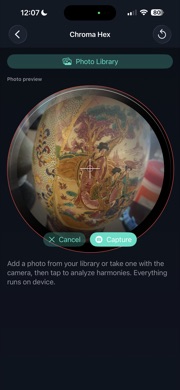
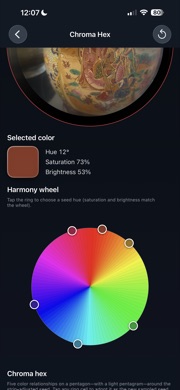
Pick a pixel from a reference photo or set a hue on the wheel. Zoom in before you sample when hunting a specific mixed pigment — the picker gets braver with detail.
Classic harmony wheels
Complementary, triadic, analogous, and more — rendered as confident swatches tied to your sampled hue, with theory baked in.
40+ art style wheels
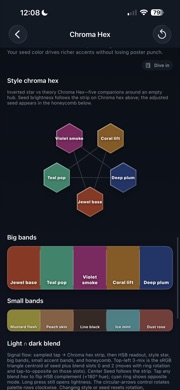
Beyond standard color theory: explore palettes dedicated to individual art movements and styles — compare how the same seed color reads across Impressionism, Pop, Ukiyo-e, and dozens more.
Style histories & major players
Each style includes a concise history of the movement and notes on key artists — an excellent teaching tool for schools, apprentices, and anyone who wants context with their swatches.
Compare palettes until it clicks
Line up style palettes against each other and against your reference until you find the perfect direction for the piece you are planning. All offline — swatches from your image and curated style data, not the web.
When artists reach for Chroma Hex
- Plan a sleeve's accent colors from a single reference photo.
- Teach color theory in a classroom with live style comparisons.
- Check complementary pairs before mixing inks on the tray.
- Compare how one hue reads across multiple art movements before you commit.
Frequently asked questions
- How many art styles are included?
- Chroma Hex ships with 40+ dedicated style wheels, each with palette logic and brief historical context.
- Does Chroma Hex replace my ink line?
- It helps you plan — always test healed results on skin. The tool reads your reference, not your pigment chemistry.
- Can I use camera photos?
- Yes. Import from library or capture with the camera inside the tool.